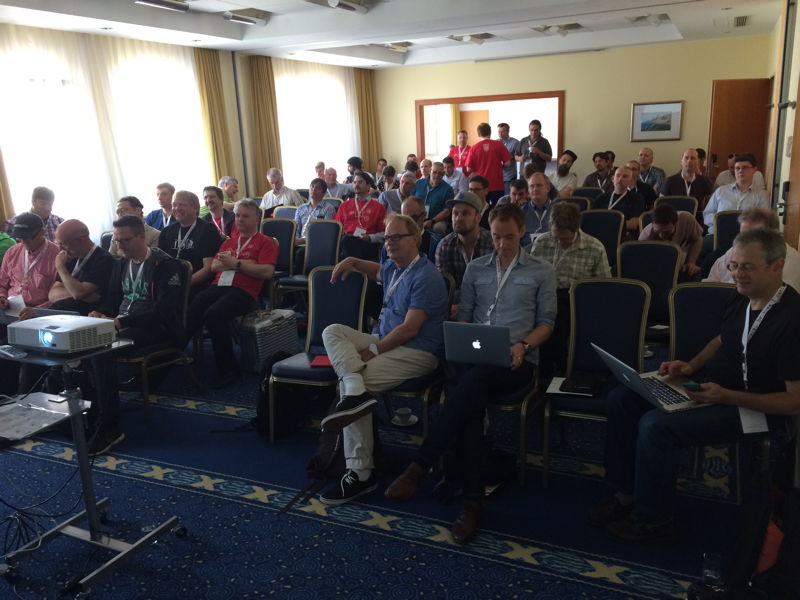
The video from German FileMaker conference in Salzburg is now available.
If you know a bit of German, check out what the MBS Plugin can do for you.
Hier das Video zur MBS FileMaker Präsentation von der FileMaker Konferenz 2017 in Salzburg.
Ein Überblick über beliebte und neue Funktionen.
FMK 2017 Video
Back to the three days of sessions, the FileMaker DevCon will come to Texas next year.

August 6-9, 2018 |
Gaylord Texan Resort | Grapevine, Texas
This is a fantastic conference hotel with 1500 rooms, 10 restaurants, several pools indoor and outdoor. And as may know this was
my guess for the conference hotels. As FileMaker DevCon grew to 1600 attendees, you need big facilities. FileMaker loves to use the Apple rates in Marriott hotels and as you may know there are not many huge hotels available for such a great event.
Registration starts end of February 2018. You can apply for being speaker soon. Rooms can be reserved on the
hotel website. As you can cancel rooms and they may run out of them, you better reserve now a room and block the week in your calendar! See you there.
FileMaker Inc. announced their new
FileMaker Cloud version 1.16.0.55. The update is already available on
Amazon's marketplace. This update includes the FileMaker 16 Server engine, so you can now use all the new features in FileMaker 16 like Data API, PDF generation on server and OAuth 2.0 client authentication.
See release notes for details:
Release Notes
And documentation for new Admin API:
FileMaker Cloud 16 Admin API Guide Show All
MBS Plugin 7.4 for FileMaker cloud is available and runs just fine in the cloud. We have been using it the last months with a beta version in the cloud and it works very well. If you have wishes for new functions to be supported on Linux, please let us know.

New in this prerelease of the 7.5 MBS FileMaker Plugin:
- Updated SQLite to version 3.20.1.
- Fixed bug with Barcode.SetPrimary.
- Removed libpcre dependency we had in the iOS Plugin for last beta.
- Updated CURL library to version 7.56.1.
Download at
monkeybreadsoftware.de/filemaker/files/Prerelease/ or ask for being added to the dropbox shared folder.
At the conferences there was the question about how
MBS FileMaker Plugin compares to the Base Elements plugin. Normally I don’t spend time checking other plugins as I just develop new features based on what people ask and not what other plugins may do.
But well, I got a list of the Base Elements plugin functions and checked which MBS function call may help to do the same things. It’s not always an exact match and in general MBS functions do smaller steps, so you need to combine severals of them. That is different to other plugins which have complicated functions with a lot of options to do various tasks with one function.
(more)
New in this prerelease of the 7.5 MBS FileMaker Plugin:
Download at
monkeybreadsoftware.de/filemaker/files/Prerelease/ or ask for being added to the dropbox shared folder.
We welcome our first plugin customer in Uganda.
MBS FileMaker and Xojo plugins are now used in 75 countries.
Top five countries are for Xojo:
- 🇺🇸 United States of America
- 🇩🇪 Germany
- 🇬🇧 United Kingdom
- 🇮🇹 Italy
- 🇫🇷 France
And for FileMaker plugin:
- 🇺🇸 United States of America
- 🇩🇪 Germany
- 🇨🇭 Switzerland
- 🇬🇧 United Kingdom
- 🇳🇱 The Netherlands
Usually the distribution follows the knowledge of english (for reading documentation), education (for programming) and money (for paying license fees). German speaking countries are usually higher due to me offering support in German. Although of course everyone is welcome to create and translate tutorials for all languages.
Looking forward to what the 76th country will be! Any volunteers?
Next chance to meet me is the
Xojo event in Wimbledon. Even if you don’t take part, you can still arrange a meeting with me or just say hello at the hotel bar.
On a FileMaker Server plugins can do a lot. Whether you use our MBS Plugin or a few of the others available. They all may offer functions to delete files, to upload files via FTP or to encrypt files. All functions you may use yourself to do backups to remote locations in your scripts.
For all your solutions you must make sure that:
- You do not simply pass user entered text to evaluate or SQL function in FileMaker.
- You do not allow databases on servers with user accounts who can edit scripts or layouts.
- You make sure you limit the plugin features to those you need.
For the first point, well you can let the user enter a calculation and use Evaluate to get the result. e.g. your user enters a number and you multiply it. But what if they enter a plugin call instead? Well, using GetAsNumber first may help to convert input to a number first and strip function calls. Or other cases you may need to remove brackets to remove function calls.
Same for text used in SQL statements, where user can enter SQL commands in text fields and they are executed. But you pass values as parameters and not put them in the SQL directly, right?
Second point means if an user has the chance to modify a script, they could write anything there, including calls to sabotage, steal or delete data. Not to mention creating new scripts which they can trigger anything anywhere. So please limit permissions.
Third, for the MBS Plugin, you can use
Plugin.SetFunctions function to limit the list of functions to the ones you need. So maybe instead of 4900 functions, you may only need 20 of them. So you can pass a list of function names and the plugin disables all other functions and you can’t call them anymore. With
Plugin.LimitFunction you can limit a function to be only called by a certain function. For example you can limit
Files.Delete to a script which needs deleting files, but disallow it for all other scripts.
See also an older blog post:
Shared FileMaker Server Hosting and Plugin Security
Next MBS FileMaker Plugin will have an option to show Layout IDs in the Layout Management dialog:
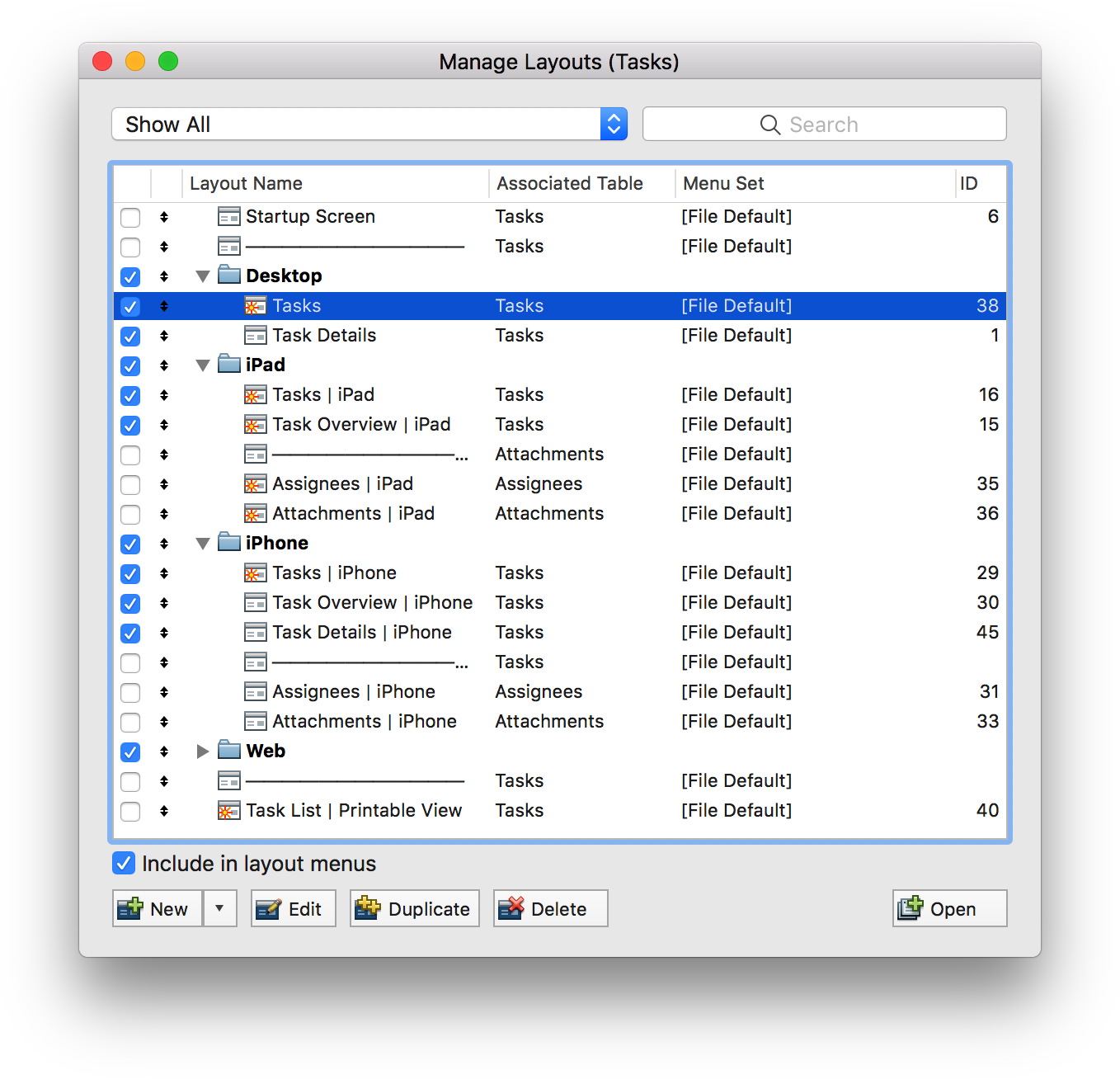
Of course I added new
SyntaxColoring functions to enable or disable this by script as well as a preference dialog option for those who don't like this.
If the same name is used for several layouts, the plugin will not show the ID as it's not unambiguous.
Coming to the new next MBS Plugin prerelease in a few days. Or email for an early test copy.
Works fine in FileMaker 11 to 16 here.
MBS Plugin offers a couple of data structures which make scripting in FileMaker more like a programming language. And I know a few of you are keen on writing long scripts with using various plugin provided functions:
Variables
For years we provide
global variables. They are independent of the open file and persists until the current application quits. You can use them everywhere the plugin runs, even on the server. You can store values there from one file and query later from other file. On a server you can set something in a script called by one client and later query in a script called by another client via Perform Script On Server. Of course Server Script Engine process uses a different set of variables than the web direct process.
So you call MBS( "
FM.VariableSet" ; "myVar"; "Hello" ) in a script and later query it back using MBS( "
FM.VariableGet" ; "myVar" ). The plugin preserves data types, so a container should survive as well as dates and numbers without converting to text. You can also query list of variables, clear them or check if one is defined.
QuickList
In FileMaker you may be familiar with lists. You can put texts together with new line character to a list. But when using lists you pass around a big block of text. All functions acting on the list must parse the list, do their work and build the big text again.
To speed this up, we created QuickList functions. They allow you to create a list in memory, where the plugin can random access entries and add new values efficiently. It is a list of text and we usually parse it only once, e.g. by passing existing list to
QuickList.New function. You can use other functions to add entries via lists, SQL query or values. You can
sort,
remove duplicates,
reverse order,
serialize or
match with regular expression.
By just skipping the parse/output part, the
QuickList functions are usually much faster than our similar List functions, which do use same functions for the core work.
Dictionary
The
dictionary functions provide a hash map, so you can store values based on keys. Values are stored in memory and kept with their original data type. Lookup are usually faster than database lookups, as everything is in memory and using binary search to find items.
You can
create a dictionary with passing key and value pairs and
add entries via SQL requests. We can
serialize the dictionary to store it, output to
JSON or
XML.
To attend the FileMaker conference in Spain, I travelled to Madrid.

If anyone else arrives early, drop me a line and we can enjoy dinner together or chat at the hotel bar.
New in this prerelease of the 7.5 MBS FileMaker Plugin:
- Added App.GetProcessPath and App.GetProcessName for Linux.
- Fixed bug with SQLite Prepare command with extra spaces in SQL commands.
- Added RSA.DecryptPrivateKey and RSA.EncryptPrivateKey functions.
- Improved RSA.GeneratePrivateKey to allow you to specify algorithm and encrypt keys.
- Added "Callbacks with Custom Webviewer" example to show how to use JavaScript callback with our custom webviewers.
- Added MouseCursor.HideUntilMouseMoves function.
- Fixed problem in List.DeCombine not returning list with first empty element missing.
- Fixed TinyMCE example for FileMaker 16.
- Fixed preferences dialog to allow entering of values.
- Changed copy button in script workspace to replace tab with spaces, so tabs are only used to intent.
- Fixed a bug with formula coloring to work, if formula starts with "(".
- Added selector CopyRight for Files.FileInfo to query copyright string on Mac.
- Improved custom webviews to work with download delegate and policy delegate functions.
- Changed window finding by window title to fall back to prefix matching if the exact window title is not found.
- Enabled P12 files for certificates in CURL for Windows.
- Updated CURL library to version 7.56.0.
- Changed WebView.InstallCallback to work in FMP 16 with WebView.Create.
- Fixed problem for iOS where registration for remote notification would not always happen.
- Put back in iOS plugin, which was missing for 7.4.
- Added FileName parameter to FM.ScriptNameForScriptID, FM.ScriptIDForScriptName and FM.ScriptNames.
Download at
monkeybreadsoftware.de/filemaker/files/Prerelease/ or ask for being added to the dropbox shared folder.
PS: I uploaded a newer disk image including iOS Plugin which was missing. Sorry.

Wieder mal bin ich in der Schweiz, u.a. zum
FileMaker Experience Event am 21. November in Meilen.
Wer Interesse hat an einem Termin mit mir für Softwareentwicklung, Schulungen, Entwicklungshilfe, Plugin Empfehlungen, assistierte Fehlersuche, Code-Review und IT-Beratung, der darf sich gerne melden für eine baldige Terminfindung.
Für Xojo Entwickler organisiere ich gerne noch einen Stammtisch:
Doodle Umfrage
Alle FileMaker Entwickler sind natürlich gerne eingeladen mit nach
Meilen zu kommen, wo ich auch gerne die ein oder andere MBS Plugin Funktion zeige. Mal sehen, was es in einem Monat alles neues gibt!
As usual with every conference we offer licenses at a discount to conference attendees: 20% on everything.
You can find the coupon code on our flyers at the booth. The coupon code is valid till end of October and can be used with the Share-It web store.
For PayPal or orders using invoices, we will create individual invoices on request.
If you don't have a flyer and you attend one of the current conferences, you can always email us a picture of the badge as proof to get the coupon.
Please note that the discount is to help attendees to get a bigger return of investment out of the conference trip.
Falls Sie eine Frage haben zum MBS FileMaker Plugin haben oder sich einmal darüber informieren möchten, so kommen Sie bitte am Stand vorbei:
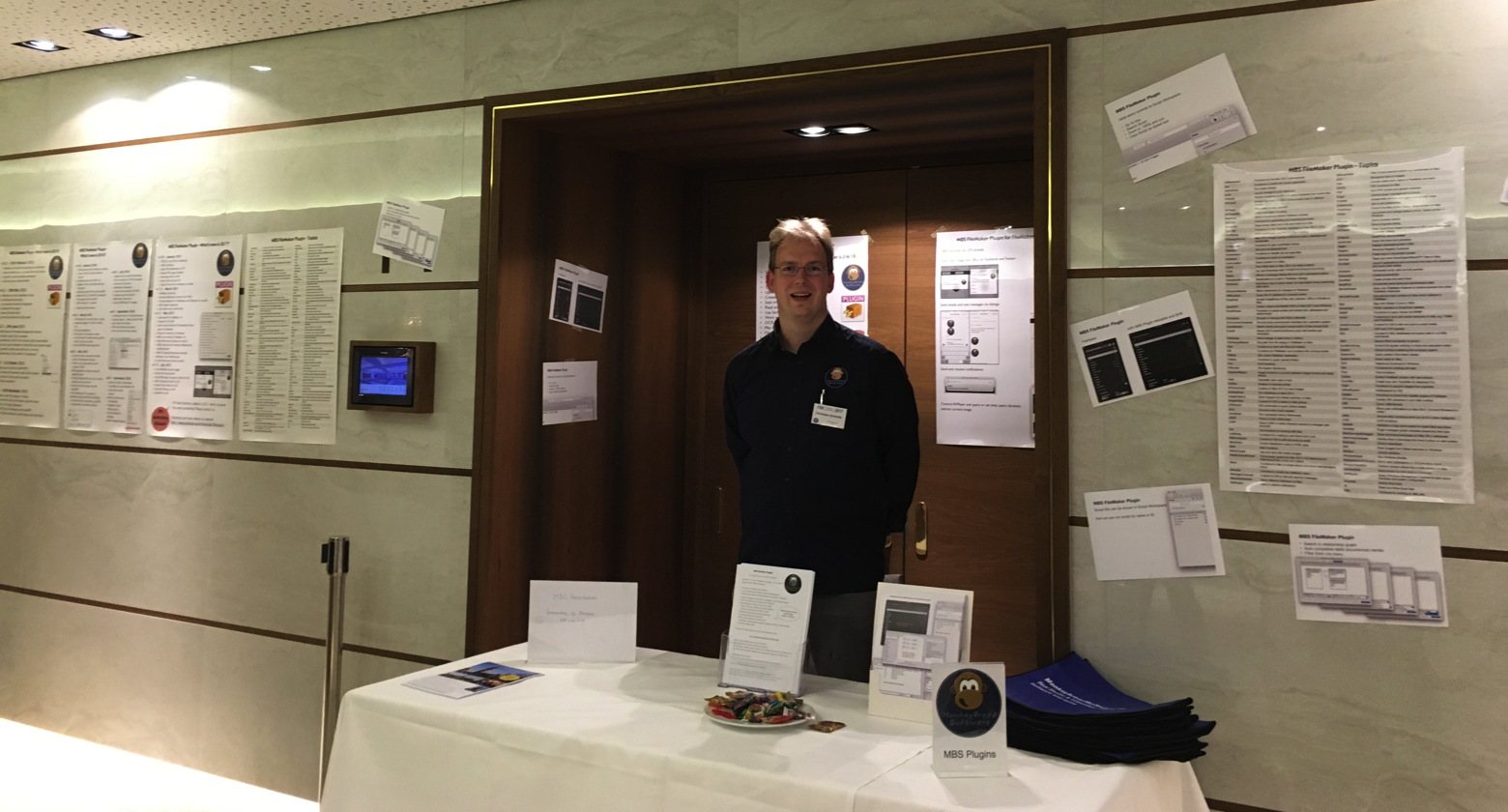
Man sieht sich!

FileMaker Inc. just released a new version of their products:
See details for
FileMaker Server 16.0.3,
FileMaker Go 16.0.3 and
FileMaker Pro 16.0.3.
Fixes include the problems with lost scripts when committing a record after a reconnect. And of course a couple more fixes.
The installation of the update is highly recommended to all users of FileMaker 16 to avoid the problem mentioned above!
Arrived in Salzburg for German
FileMaker Konferenz:

See you all there!
We just got announcement for the
FileMaker Conference .fmp[x]Berlin 2018.
This conference is organized by
Egbert Friedrich and takes place from 7th to 9th June 2018 in Berlin, Germany.
As the conference is in english, this is your chance to meet people from around the world at a conference in Europe. And for a lot of people it's easier to get to Berlin than to cross the atlantic and deal with US immigration officers.
Who
dotfmp is an effort of various leading European FileMaker Developers. It is meant to bring all kinds of higher level developers together to share knowledge, educate and challenge each other.
When
dotfmp starts at the 6th June 2018 in the later afternoon with a relaxed "Beer and Sausages" in one of the most famous Berlin Beergarden.The session days itself last from 7th until 9th June with various socialising events in the evenings. Additionally we offer support on 10th June to see more from Berlin and its surroundings.
What
dotfmp is a 3 Day-Unconference, Meetup, Hangout or Barcamp. It is an informal and self-organized effort to meet on a personal base.
Where
dotfmp takes place in one of the most famous spots in Berlin. The GLS Campus is located in a vibrant area with a very short walking distance to all the famous restaurants.
Why
We feel there are far too few possibilities to talk to, learn from, and hangout with fellow developers in a relaxed and informal environment. And we'd like to share work and get feedback from people chewing on similar challenges.
If you like to join the conference and present something, please
register soon.
Here is a nice example database to show how to make clicks on a PDF:

So first we render PDF to an image using
DynaPDF functions. Than user can click on image inside a container to set a point. We draw the point with our
GraphicsMagick functions in MBS Plugin and build a list of records for the points.
Later those points could be used to draw them on a new PDF with existing PDF in background.
Maybe this is useful for you? I'll include it with next plugins (or email me for a copy)
New in this prerelease of the 7.5 MBS FileMaker Plugin:
- Added DynaPDF.ReplaceImage function.
- Fixed bug with DynaPDF.GetImage function complaining about non decompressed image.
- Added DynaPDF.GetReplaceICCProfileData and DynaPDF.SetReplaceICCProfileData.
- Changed trace file to be UTF-8 with BOM and LF as end of line on Mac and Linux.
- Changed trace file to be UTF-16 with BOM and CRLF as end of line on Windows.
- Updated DynaPDF to version version 4.0.13.36.
- Added QuickList.DeCombine function.
- Added fix to avoid crashes with FileMaker 12 on macOS Sierra related to removing observers.
- Added List.SubList and QuickList.SubList functions.
- Changed error notifications to only show maximum 5 of them and remove them automatically after 5 minutes.
- Changed variable error notifications to be removed automatically when you typed correct name.
- Added iOS support for JavaScript functions.
- The column for script IDs is now a bit narrower.
- Updated LCMS library to version 2.9rc1.
Download at
monkeybreadsoftware.de/filemaker/files/Prerelease/ or ask for being added to the dropbox shared folder.
PS: I uploaded a newer disk image including iOS Plugin which was missing. Sorry.
It’s Thanksgiving this weekend in Germany. Time to say thank you to all the good things that happen in live. Thanks for the wife and three healthy kids, thanks for having a great job and thanks to you my customers, who keep this company running.
Thanks for my father's colleagues who recommend him to buy a Mac 20 years ago. Thanks to Geoff for buying CrossBasic, making it REALbasic and thanks for Macwelt magazine to pointing me to it. Thanks for the first customers who hired me in 1999 to code for them, so I started a company in April 2000. Thanks to customers pushing me to learn C++ and writing plugins for Xojo and FileMaker. And thanks to everyone who bought a license. Over the years we can keep doing this, because people support us with their purchases. Thanks to keep me doing this instead of applying for a regular job somewhere to pay my bills.
And thanks for the travel around the world and the conferences. Organizing a conference is a lot of work, so thanks to all people who organize conferences. And of course thanks to everyone leaving their office to go to a conference. Only attending conferences makes them great and keeps them going!
So lets keep this running and see you at conferences in Salzburg, Madrid, London, Montreal, Denver, Munich and wherever another one will be!