New shortcut to move text to right
 For the upcoming MBS FileMaker Plugin 12.5 we add a new shortcut with Command-] to move the selected text rows to the right by adding one tab. With Command-[, we can remove the tabs.
For some keyboards, the shortcut may be different to press, e.g. with German keyboard layout, you press Command-Option-5 and Command-Option-6 as the [ and ] characters are on the 5 and 6 keys with option key. For French keyboards, you press Command-Option-Shift-) and Command-Option-Shift-( to reach those.
Please try the new function in the next weeks and let us know how it works.
We now have those shortcuts:
In Script Workspace: | |
| ⌘ F | to set focus to search field for current script. |
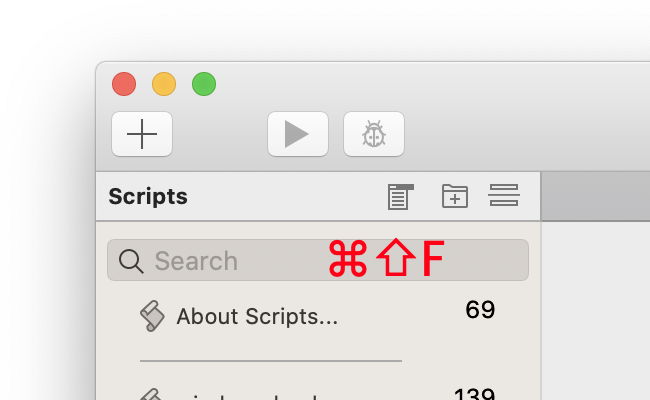
| ⌘ ⇧ F | to set focus to script list search. |
| ⌘ + | zooms in. |
| ⌘ - | zooms out. |
| ⌘ = | zooms to 100%. |
In Data Viewer with focus on the list (blue line around): | |
| ⌘ F | shows find bar. |
| ⌘ G | goes to next found text. |
| ⌘ ⇧ F | to show/hide fields. |
| ⌘ ⇧ G | to show/hide global variables. |
| ⌘ + | zooms in. |
| ⌘ - | zooms out. |
| ⌘ = | zooms to 100%. |
| ⌘ ⌥ C | copy text in the list. |
In text areas like custom function editor: | |
| ⌘ R | shows rulers. |
| ⌘ I | shows invisible characters |
| ⌘ F | shows find bar and go to find. |
| ⌘ ⇧ F | shows find bar and go to replace. |
| ⌘ G | goes to next found text. |
| ⌘ [ | reduce indention of text. |
| ⌘ ] | indent text to right. |
| ⌘ C | copy as text. |
| ⌘ ⌥ C | copy as styled text. |
| ⌘ ⌥ ⇧ C | copy as htmls text. |
In a list showing in the FileMaker, e.g. list of fields: | |
| ⌘ ⌥ C | copies content. |
| ⌘ F | shows find bar. |
| ⌘ G | goes to next found text. |
| ⌘ + | zooms in. |
| ⌘ - | zooms out. |
| ⌘ = | zooms to 100%. |
In relationship dialog: | |
| ⌘ F | sets focus to search field. |
| ⌘ G | continue search. |
Please enjoy and if you have questions, please don't hesitate to contact us.