SQLite just turned 16 years old.
The first check-in of SQLite code occurred 16 years ago.
see
sqlite.org/src/timeline?c=2000-05-29
Version 1 just had a few commands. Open database, close database, execute a statement. Code for recordsets didn't exist at that time and came later.
Congratulations to Richard Hipp and his team!
Yesterday DynaForms GmbH released DynaPDF 4.0.
PDF/A conversion
The focus of development in DynaPDF 4.0 was the development of a new PDF/A 2b and PDF/A 3b converter. The new converter should be able to completely rebuild PDF files.
This requirement has lead to the development of a new content parser that is able to completely regenerate and optimize content streams. This makes it possible to apply much more extensive repairs. Since all content streams will be rebuild, also references of the .notdef character can be removed (in PDF/A 1 it was allowed to reference the .notdef character directly but this is no longer allowed in PDF/A 2 and 3).
This increases the conversion rate drastically and completely error free and optimized PDF files will be created which render and print faster. This is not only interesting for PDF/A conversion, PDF files can also be normalized or just optimized.
Not anything that is possible with the new content parser is already available in corresponding functions. For example, the parser is also the new base for the rendering engine. Since it can read and write page contents, the development of a PDF editor is no problem anymore. Especially images and vector graphics can be edited in addition to text, which was not possible before. In the coming months the new parser will replace the old code more and more.
Annotations
The icons of text and file attachment annotations, as well as the pre-defined stamps can now dynamically created in German, French, and English. This is especially important when viewing PDF files since nothing could be shown if the icons or stamps are not embedded.
FileMaker, Xojo and Real Studio
The new plugin for DynaPDF 4.0 will be available in the next days. We include new options there for optimizer to reduce image sizes.
A few times I visited Austin, Texas already. Mostly because Xojo Inc. is there and I visit their conferences if possible.
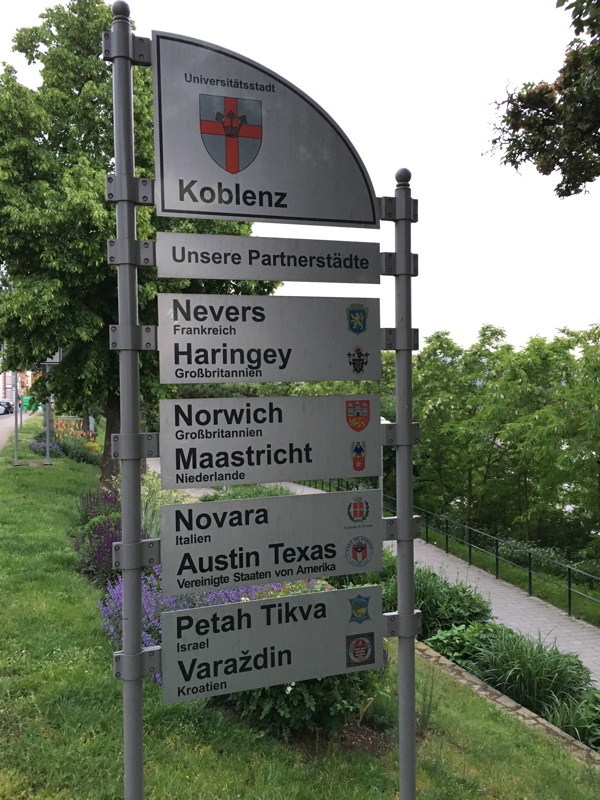
Now I just learnt that Koblenz has a partner city in Texas and it's Austin.
And there is a whole community around visiting each other's city:
partnerschaft.koblenz-austin.de
Now we have to see if we do another conference in Koblenz and get someone from Austin to come. As far as I know 4 employers of Xojo Inc. near in or near Austin.
PS: Also discovered years ago on a trip to Atlanta that Marietta, Georgia had a German partner city nearby my home town: Linz. So in both cities I saw signs about that partnership.

Nickenich, Germany - (May 24th, 2016) -- MonkeyBread Software today is pleased to announce
MBS FileMaker Plugin 6.2 for Mac OS X or Windows, the latest update to their product that is easily the most powerful plugin currently available for FileMaker Pro. As the leading database management solution for Windows, Mac, and the web, the FileMaker Pro Integrated Development Environment supports a plugin architecture that can easily extend the feature set of the application. MBS FileMaker Plugin 6.2 has been updated and now includes over 3900 different functions, and the versatile plugin has gained more new functions:
Our latest plugin has been tested and optimized for latest FileMaker 15 release. While we support FileMaker 15 since version 6.0 already, a few issues have been found and fixed when using FileMaker 15. Finally as FileMaker 15 now runs 64-bit on Mac, we fixed a few issues related to 64-bit, too.
We got new functions for
RSA signatures and
encryption. You can
generate a new private key and extract the public key. Using the private key you can sign some data and later check signature with public key. For
encryption you can use either private or public key to encrypt. On the other side you decrypt using the other key. This way you can encrypt on one side using private key and decrypt on other side with public key.
Our new
Events functions allow you to query calendars on Mac OS X for events and reminders. You can create, modify and delete entries as needed. Those new functions are 64-bit only. For 32-bit you can use existing
Calendar functions.
For
SQL we got new functions to convert BLOB to container value. New XML functions allow you to
format XML or
create a canonical version.
Our Mac Audio and Video recording can now provide a
still photo on Mac. And the video exporter can
merge several videos into one file while exporting.
The webviewer may block loading websites with invalid SSL certificate. We can
put some hosts in the white list to load the website anyway. As the Webviewer on Windows doesn't accept the @ key with some keyboard layouts (e.g. German), we got a new function to
send key events to Webviewer. This way you can send key strokes to Webviewer and press @ for the user if needed, including with @ as hotkey.
Our DynaPDF users can now
extract text of only a rectangle part of the page. Our
difference showing feature for PDF pages now handles transparent areas and recognizes smaller changes. You can
define replacement ICC profiles for PDF/A creation.
Our
dialog functions got updated to show an icon on Windows. We added options for
timeout and
custom buttons. The parent window is now set for Windows, so the FileMaker window stays behind the dialog.
The
print dialog modifications on Mac OS X can now set options for
copies, first/last/all pages. You can
query last options as XML and
set/
get any options by name.
When working with files and folders, we can now query the size of a folder efficiently. On Mac we can set/get the
Finder comment and the
label color.
We also have improved
list functions,
query scrolling position, more
CURL options, you can
automatically click buttons or
press keys with delay.
Finally we updated DynaPDF to version 3.0.52.156, libJPEG auf 9b, SQLAPI++ auf 4.1.9, libSSH auf 1.7.0, CURL auf 7.47.1, OpenSSL to version 1.0.2f and SQLite to version 3.13.0.
See
release notes for a complete list of changes.
As you know I collect on my events page a list of
FileMaker related events. Beside DevCon from FileMaker, there are a couple of user organized events and from time to time I invite for dinner meetings:
- FileMaker Developer Meeting, 30th May 2016 in Stockholm, Sweden, see mbsplugins.de (Register)
- .fmp[x]Berlin, English, 2nd to 4th June 2016 in Berlin, Germany, see dotfmp.com
- FileMaker Developer Meeting, 13rd June 2016 in Kopenhagen, Denmark, see mbsplugins.de (Register)
- FileMaker Bärencamp, German, 7th to 9th July 2016 in Leinefelde-Worbis, Germany, see mkv.de
- FileMaker DevCon, English, 18th to 21st July 2016 in Las Vegas, USA, see filemaker.com/developers/devcon/
- FileMaker Conference, English, 10th to 11th October 2016 in ?, UK
- FM Summit, Dutch, 10th to 11th October 2016 in Antwerpen, Belgium, see fmsummit.info
- FileMaker Conference, Italian, 11th to 13rd October 2016 in Bolonga, Italy, see fmdevcon.com
- MBS FileMaker Plugin Workshop, 12th October 2016 in Salzburg, Austria, see mbsplugins.de (Register)
- FileMaker Konferenz, German, 13rd to 15th October 2016 in Salzburg, Austria, see filemaker-konferenz.com
- FileMaker Conference, Swedish, 17th to 18th October 2016 in ?, Sweden
- FM Conférence, French, 19th to 21st October 2016 in Avignon, France, see fmconf.com
- MBS Workshop, German, 3rd November 2016 in Hofheim (Taunus), Germany, see denkform.net (Register)
If you have information about other events, please tell me.
We organize Xojo and FileMaker developer meetings for Kopenhagen, Denmark and Stockholm, Sweden:
If you like to join, please contact me soon:
29th May 2016, Stockholm
We meet with a couple of Xojo developers in a nice restaurant on the Alviks beach.
Topics will include current Xojo release, MBS Plugins and Xojo conferences.
30th May 2016, Stockholm
We meet with a couple of FileMaker developers in a nice restaurant on the Alviks beach.
Topics will include recent FileMaker 15 release, MBS Plugins and the upcoming conferences.
13rd June 2016, Kopenhagen
We meet with a couple developers in downtown Kopenhagen.
Topics will include the WWDC keynote from Apple, recent plugin changes and what's new in Xojo/FileMaker world.
Of course you can attend all the meetings if you like. We meet normally at 18 o'clock, but of course you can come later.
Joining is free of cost except for your own traveling, food and beverages.
New in this prerelease of the 6.2 plugins:
- Added XML.Canonical and XML.Format.
- Fixed bug in DynaPDF.SetReplaceICCProfile.
- Added Webview.AllowsAnyHTTPSCertificateForHost to allow ignoring bad SSL certificates.
- Updated SQLite to 3.13.0.
- Updated libJPEG to version 9b.
- Added SQL.GetFieldAsContainer and SQL.GetParamAsContainer.
- Added Files.GetFinderLabel and Files.SetFinderLabel.
- Added mode to Window.RemoveMenu to clear menu.
- Added Menubar.RemoveMenuCommand function.
- Added CURL.GetDebugWithData, CURL.GetDebugWithTime, CURL.SetDebugWithData and CURL.SetDebugWithTime.
- Changed SerialPort.List to return on Mac the full device name which may include an ID to make it unique if you have several devices with same name. The SerialPort.Open function accepts full name and shorter name.
Download at
monkeybreadsoftware.de/filemaker/files/Prerelease/ or ask for being added to the dropbox shared folder.

The FileMaker Webviewer on Mac OS X checks SSL certificates. All browser do the same. If the browser encounters a certificate mismatch, it will show a warning dialog and you can decide what to do:
In the browser you can click continue and see the website. Someone may read your traffic and the connection is not secure. Of course you can request the website to install a properly certificate file or add the used certificate to the keychain and accept it always. In FileMaker the webview will show an error about the SSL certificate and not load the page. That is bad for us when we just want to grab some values for lookup. In some cases an insecure connection is better for us than no connection.
Now with our new function
Webview.AllowsAnyHTTPSCertificateForHost we can allow specific domains to ignore the certificate problem. We can add the domains to the white list and connect anyway. This allows the solution to grab the data from the website. On the long run we request the website to fix the certificate, but for today we are good.
The new function will be in 6.2pr10 in the next days. Please email us if you want to try it today.
PS: For Xojo you can use the
NSURLRequestCertificateFilterMBS class to do the same.

Interesting podcast about SQLite history:
#201: SQLite with Richard Hipp
This week we talked with Richard Hipp, the creator of SQLite, about its history, where it came from, why it succeeded as a database, how it's development is sustainably funded, and how it's the most widely deployed database engine in the world.
see
changelog.com/201/
New in this prerelease of the 6.2 plugins:
- Added RightShift, RightOption and RightControl for hotkey registration as modifiers.
- Added Webview.PressKey function to press @ key on Windows. Works also on Mac/Win to press other keys.
- Updated DynaPDF to version 3.0.52.156.
- Changed Files.ListRecursive on Mac to include trailing slash in folder paths.
Download at
monkeybreadsoftware.de/filemaker/files/Prerelease/ or ask for being added to the dropbox shared folder.
In several languages the typing of an @ symbol is by using AltGr key. The FileMaker Webviewer on Windows in FileMaker 12, 13, 14 and 15 does not allow you typing anything with AltGr key. At least in my testings.
You can read about the bug on the FileMaker community (
here and
here). We know FileMaker has probably more urgent bugs to fix, but we hope this gets fixed eventually.
With MBS FileMaker Plugin we can offer a workaround. Our new
WebView.PressKey function can be used to send a key event to the webviewer. You can specify which webviewer and pass any key you like to be pressed. Now that is great and you can make a button to press @ key of your user.
If you combine this with our hotkey feature, you can create a hotkey on Windows for alt-q (for German keyboard) to trigger a script or an evaluate. There you can press @ for the user and it appears to the user like the bug is fixed.
This will be available soon with 6.2pr9. If you like to try, send me an email for a test plugin today.
Auch 2017 biete ich wieder eine MBS FileMaker Schulung auf Deutsch an.
Am Tag vor der
FileMaker Konferenz in Salzburg, am 11. Oktober 2017 (Mittwoch) von ca. 9 bis 17 Uhr.
Inhalt:
- Neues im MBS Plugin.
- Rundgang durch Beispiele
- MBS Plugin verwenden mit FileMaker Cloud
- MBS Plugin verwenden mit dem FileMaker iOS SDK
- Erweiterungen im Skript Workspace
- Beliebte Pluginfunktionen
- FTP/SFTP Up/Download
- Webservices einbinden
- Bildbearbeitung
- Barcodes generieren und erkennen
- Arbeiten mit dem Webviewer
- SQL Anfragen in FIleMaker oder an andere Datenbanksysteme
- Zeit für Fragen
Anmeldung bei mir. Kosten 99 Euro + MWSt. inklusive Mittagessen und Kaffeepausen.
Bitte Umsatzsteuer ID angeben bei der
Anmeldung.
Alternativ können Sie gerne auch zum
MBS Workshop bei der Denkform kommen am 2. März und 7. Dezember 2017 in Hofheim (Taunus) in der Nähe von Frankfurt.

Today we look into a CURL log and explain the messages. The following log is from sending an email, so let's check it:
Rebuilt URL to: smtp://sslout.df.eu/
This shows the URL we really connect to. This URL may be rewritten/fixed by CURL from what you passed.
Trying 134.119.18.24...
We got an IP for the domain and now try to connect. Depending if your OS prefers IPv4 or IPv6, it may be the preferred IP type.
Connected to sslout.df.eu (134.119.18.24) port 587 (#0)
We are connected. Here you see the IP and port we did connect to.
220 smtprelay01.ispgateway.de ESMTP dfex
The server is greeting us, shows the name it's configured with.
(more)

FileMaker 15 was released today by FileMaker Inc.
Our MBS Plugin supports FileMaker 15 for a few months already.
Version 6.0 was updated to support FileMaker 15 by using the latest Plugin SDK.
The upcoming release 6.2 will include a few little bug fixes we will find now when testing with final FileMaker 15 version.
So please update to version 6.x if you haven't already.
Am Tag vor der
FileMaker Konferenz in Salzburg bieten wir einen MBS Workshop an. Kommen Sie einfach einen Tag früher zur Konferenz und nehmen Sie am 12. Oktober 2016 an einer eintägigen Schulung teilnehmen. Lernen Sie die über 3500 Funktionen einmal näher kennen und wie Sie sie effektiv einsetzen. Sammeln Sie Ideen und verbessern Sie ihre FileMaker Lösungen durch den Einsatz unseres Plugins.
Das Monkeybread Software Plugin für FileMaker stellt eine vielseitige Erweiterung der eigenen Datenbank dar. Der Kurs bietet nicht nur einen tiefgreifenden Überblick in die Benutzung und Entwicklung, sondern bietet auch die Chance das Plugin günstiger zu erstehen.
- Einführung in das MBS Plugin
- Überblick über die Funktionsbereiche
- Neues im MBS Plugin dieses Jahr
- Rundgang durch ausgewählte Beispiele
- Gemeinsames Implementieren von Plugin Funktionen in eine Datenbank:
- Upload/Download mit CURL auf einen HTTP/FTP Server
- Ausfüllen eines Formulares auf einer Webseite
- Bilder bearbeiten
- PDF Verarbeitung
- Druckerfunktionen
- Adressbuch und Kontakte abfragen bei Mac OS X.
- Fragen und Antworten
Die Teilnahme kostet 99 Euro zuzügl. MWSt.. Veranstaltungsort ist das Crown Plaza Hotel (gleiches wie Konferenz).
Wir beginnen gegen 9:00 Uhr und die Schulung geht bis 17 Uhr. Natürlich können Sie auch früher gehen. Mittagessen und Kaffeepausen sind inklusive.
Anmeldung hier.
(Mindestteilnehmerzahl erreicht. Die Schulung findet definitiv statt.)
New in this prerelease of the 6.2 plugins:
- Fixed an issue with ODBC and SQL functions read CLOB fields.
- Fixed an issue in WordFile functions to handle more special cases.
- Fixed XML.Import.Cancel to clear the insert command list, too.
- Updated SQLAPI++ 4.1.9.
- Added AVRecorder.CaptureStillPhoto function.
- Added Dictionary.SetList function.
- Added PrintDialog.ClearOption, PrintDialog.ClearOptions, PrintDialog.GetLastSettings, PrintDialog.GetOption, PrintDialog.SetOption to set low level print options.
- Added DynaPDF.ExtractPageRectText function.
- Fixed a text encoding problem on Mac with Log method. Now umlauts show properly.
Download at
monkeybreadsoftware.de/filemaker/files/Prerelease/ or ask for being added to the dropbox shared folder.
Nickenich, Germany - (May 4th, 2016) -- MonkeyBread Software today is pleased to announce MBS FileMaker iOS SDK Extension 0.1, the first extension available for FileMaker's iOS SDK used to create branded iOS apps based on FileMaker Go.
Currently we have no plugin SDK for FileMaker iOS SDK or FileMaker Go, so we can't port our
MBS FileMaker Plugin with over 3900 functions to iOS. But we created a different way to add a few useful functions for iOS SDK. The result is this new library for you!
By installing our library into your iOS app, you can now use 4 new commands:
version: Shows version of the extension.
events.authorize: Asks iOS for permissions to access calendars.
events.newevent: Creates a new calendar event for the calendar on iOS.
events.newreminder: Creates a new reminder.
We may add more commands in the future based on feedback of users.
So far this works fine for creating events/reminders in our iOS SDK based solutions.
Download
MBS FileMaker iOS SDK Extension.dmg
Please try and provide your feedback to use. If you need assistants, help of custom functions, we are available for hire. This extension is currently provided as-is without cost.
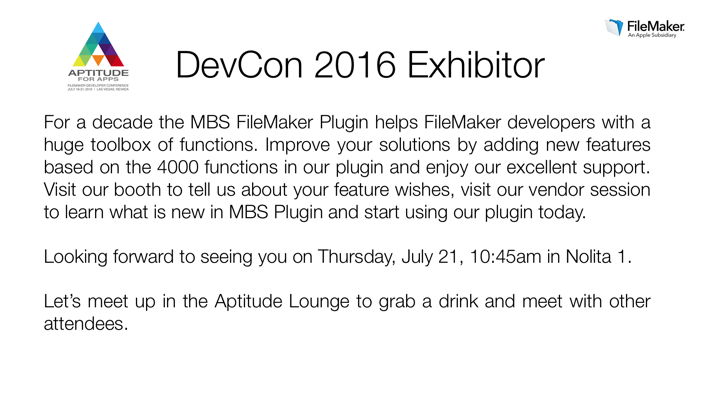
Join us at
FileMaker DevCon in Las Vegas, July 18-21, 2016.
Later in May we have Xojo and FileMaker developer meetings in Stockholm, Sweden. Maybe you want to join me for a dinner event?
Xojo Meeting, Sunday 29th May 2016
FileMaker Meeting, Monday 30th May 2016
Location is not yet decided and will be emailed to the registered people on my lists before the event. If you want to join, please contact me soon.
The meetings are planned for time range 18 to 22 o'clock. Of course you can come later or leave earlier.
If you are interested in private time for consulting, training or discussion MBS or Xojo topics, we can of course schedule a meeting. Please contact me if interested.
See you there!
PS: we probably have some price to raffle